Scrum poker
Planning poker cards for your phone, with rooms that put every vote, the story, and the team's questions on one shared screen.
Highlights
The room
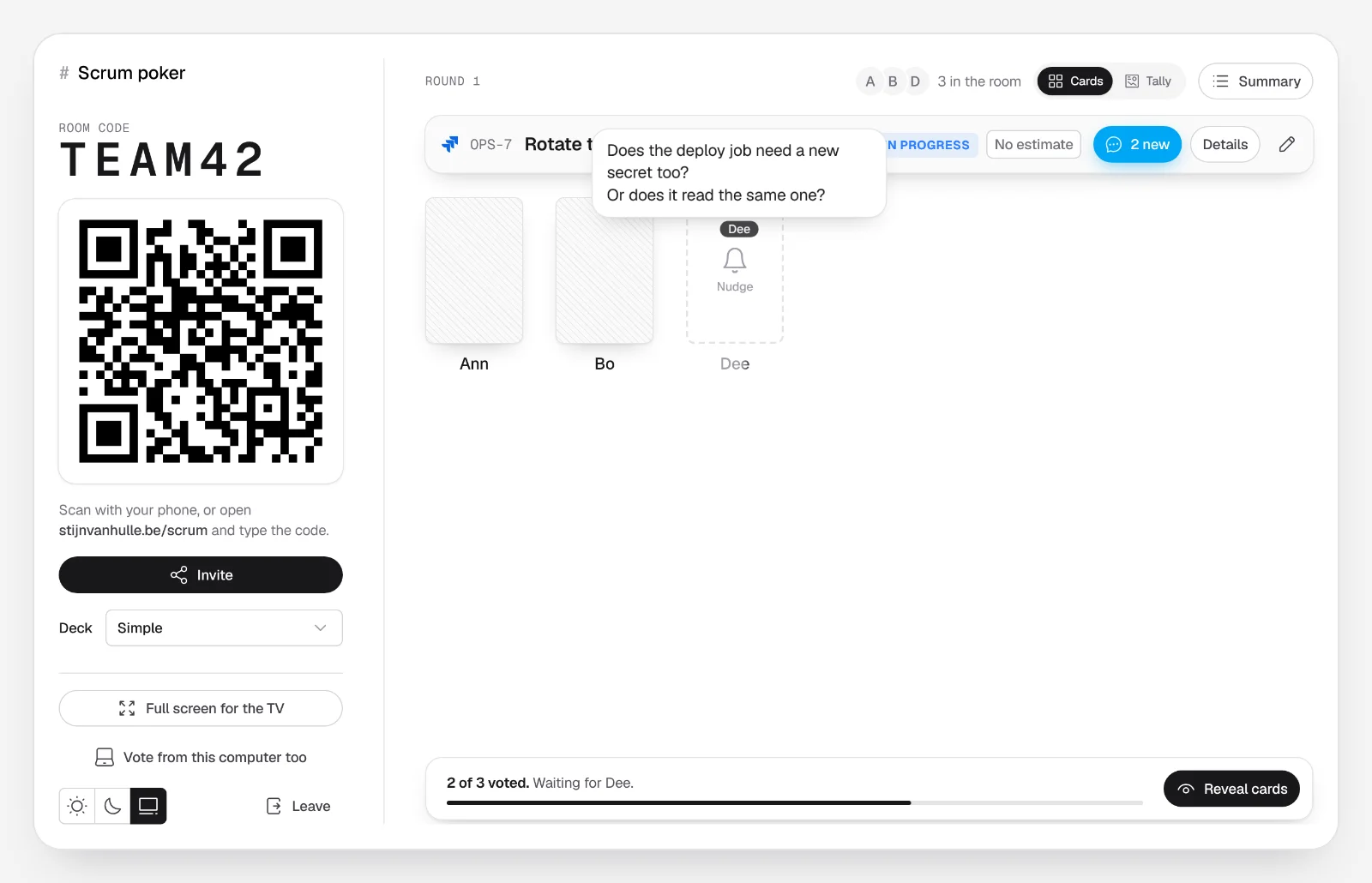
One shared screen for the whole team
Phones
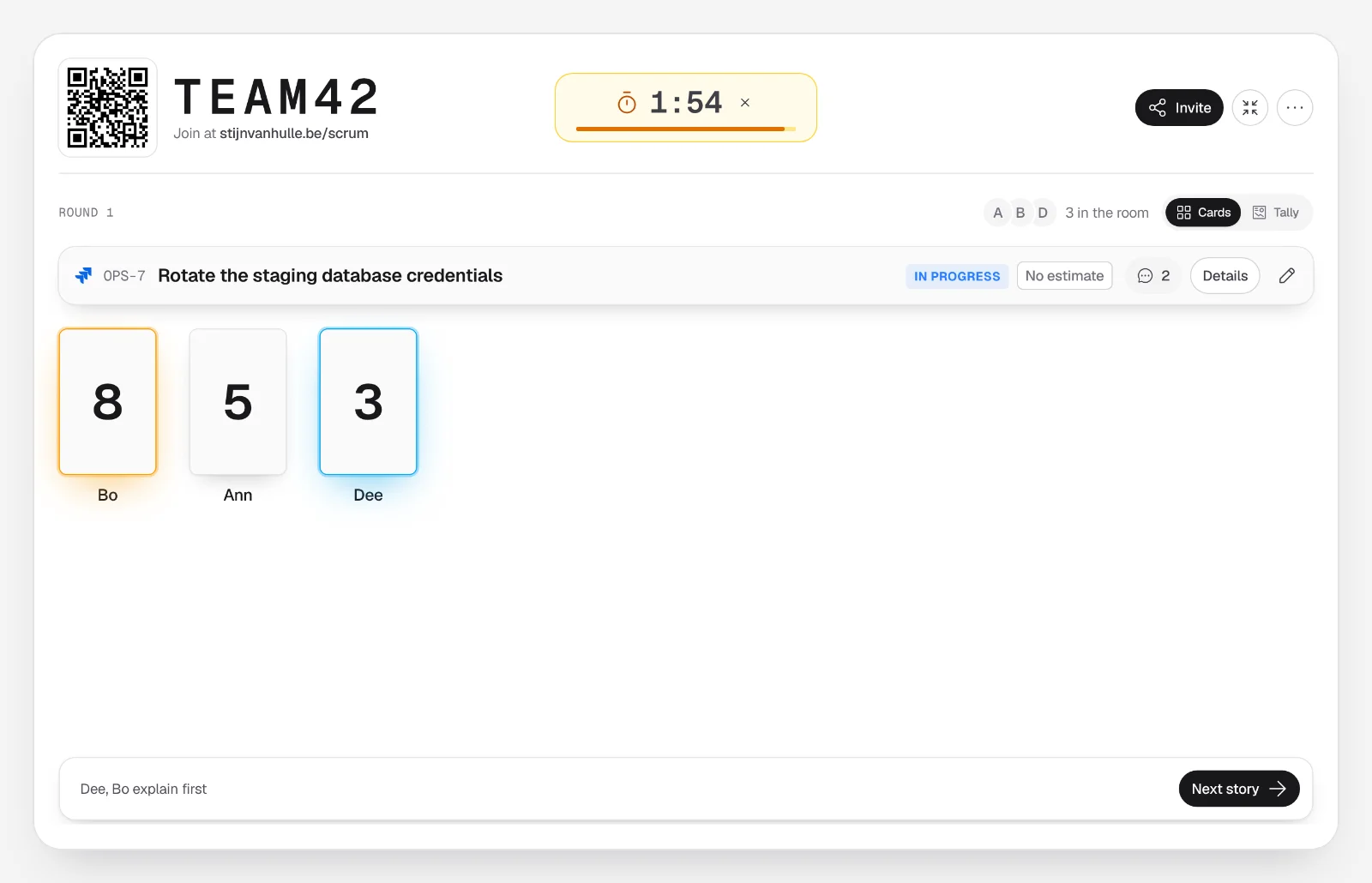
Your phone is the card
Nudge
Tap an empty seat and that phone buzzes.
- 3:00
Discussion timer
1 to 10 minutes, on every screen.
- OPS-7ENG-42
Jira and Linear
Paste a link and the story shows up.
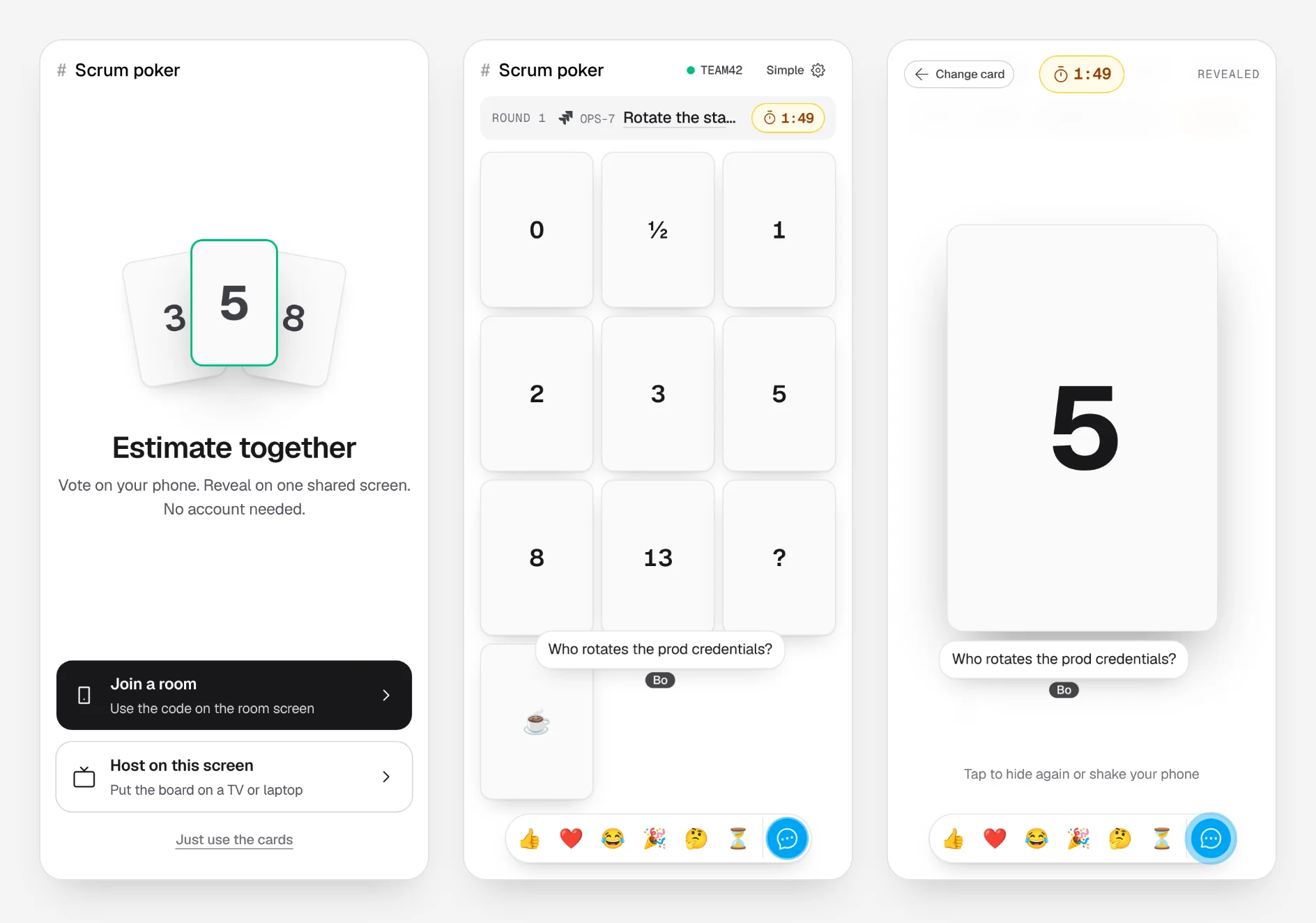
The reveal names who explains first
- ListMarkdownCSV
Export the session
Every round, with its votes.
- 4
Decks
The room picks one for everyone.
- P2P
No account, nothing to install
Phones talk straight to the room screen over WebRTC. A relay steps in when a firewall blocks the way.
Save the estimate back
One tap writes the agreed number to Jira or Linear.
- 16 of 30
Capacity check
The points you planned against what fits.
- No chanceMaybeCertain
Confidence vote
End planning with 1 to 5, and hear out the doubts.
What it is
Planning poker cards in the browser. Use them on your own, or open a room and estimate with the whole team on one screen.
- Open stijnvanhulle.be/scrum and tap a card. It stays face-down until you reveal it.
- Hold your phone up to the team, or join a room and vote on a shared screen.
- No account, nothing to install.
The cards
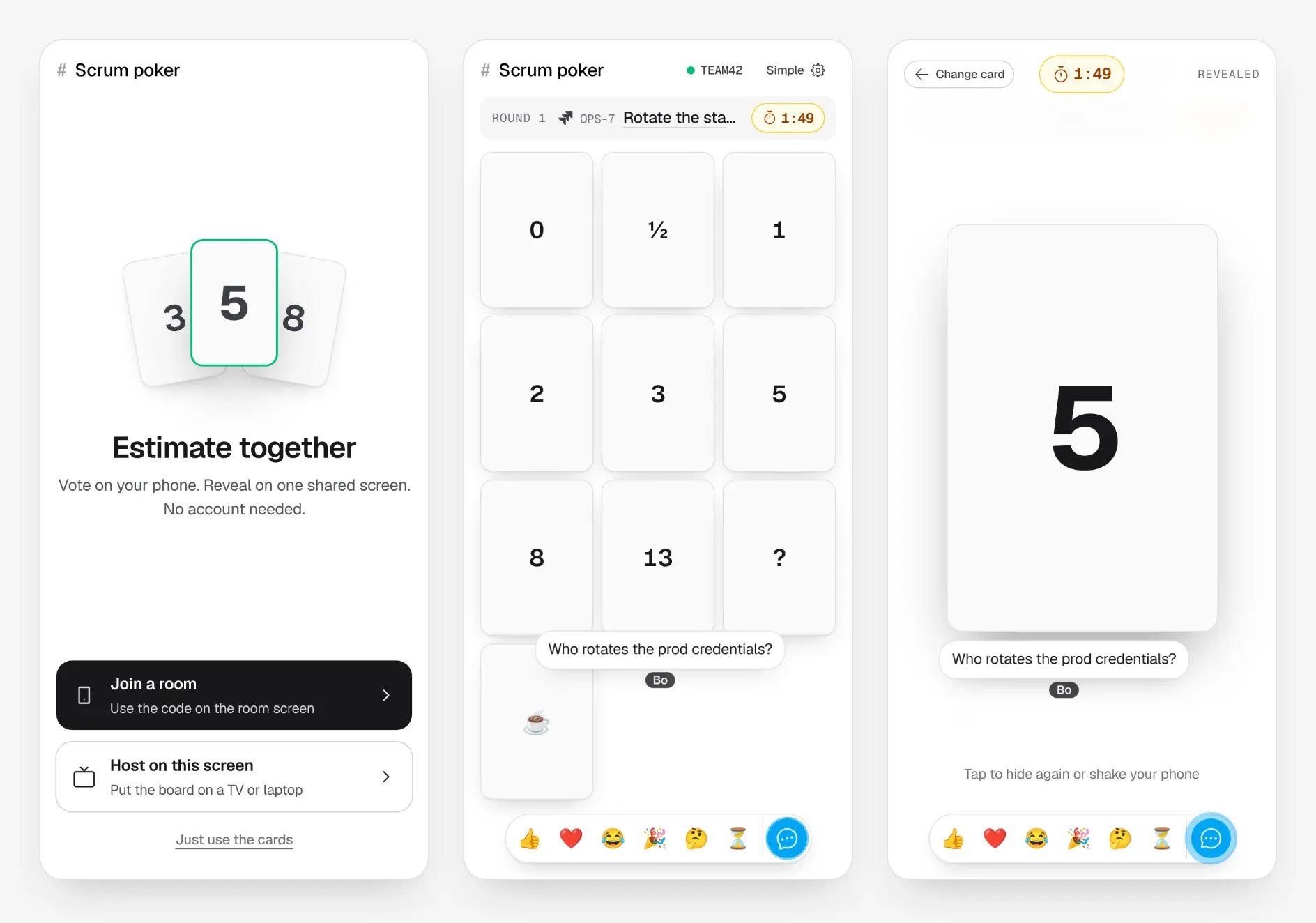
- Four decks: Simple (0 to 13, the default), Standard (up to 100), Fibonacci (up to 89), and T-shirt sizes. Every deck has
?and☕. - In a room, the room screen picks the deck, so everyone votes on the same scale. On your own, you pick it in the settings.
- Tap a card and it grows into one big face-down card. Tap it or shake your phone to flip it. On a laptop, Space flips and Escape goes back.
- The page remembers your deck and your name for next time.
Join a room
- On your first visit, pick Join a room, Host on this screen, or Just use the cards.
- To join, scan the QR code on the room screen, or enter its 6-character code and your name. Codes skip look-alike characters such as 0 and O.
- A dot next to the code shows the connection: green when connected, amber with a hint when the room can't be reached.
- Flipping your card face up shows it on the room screen too.
- A reaction bar (👍 ❤️ 😂 🎉 🤔 ⏳) floats your reaction up from your seat on every screen.
Host a room
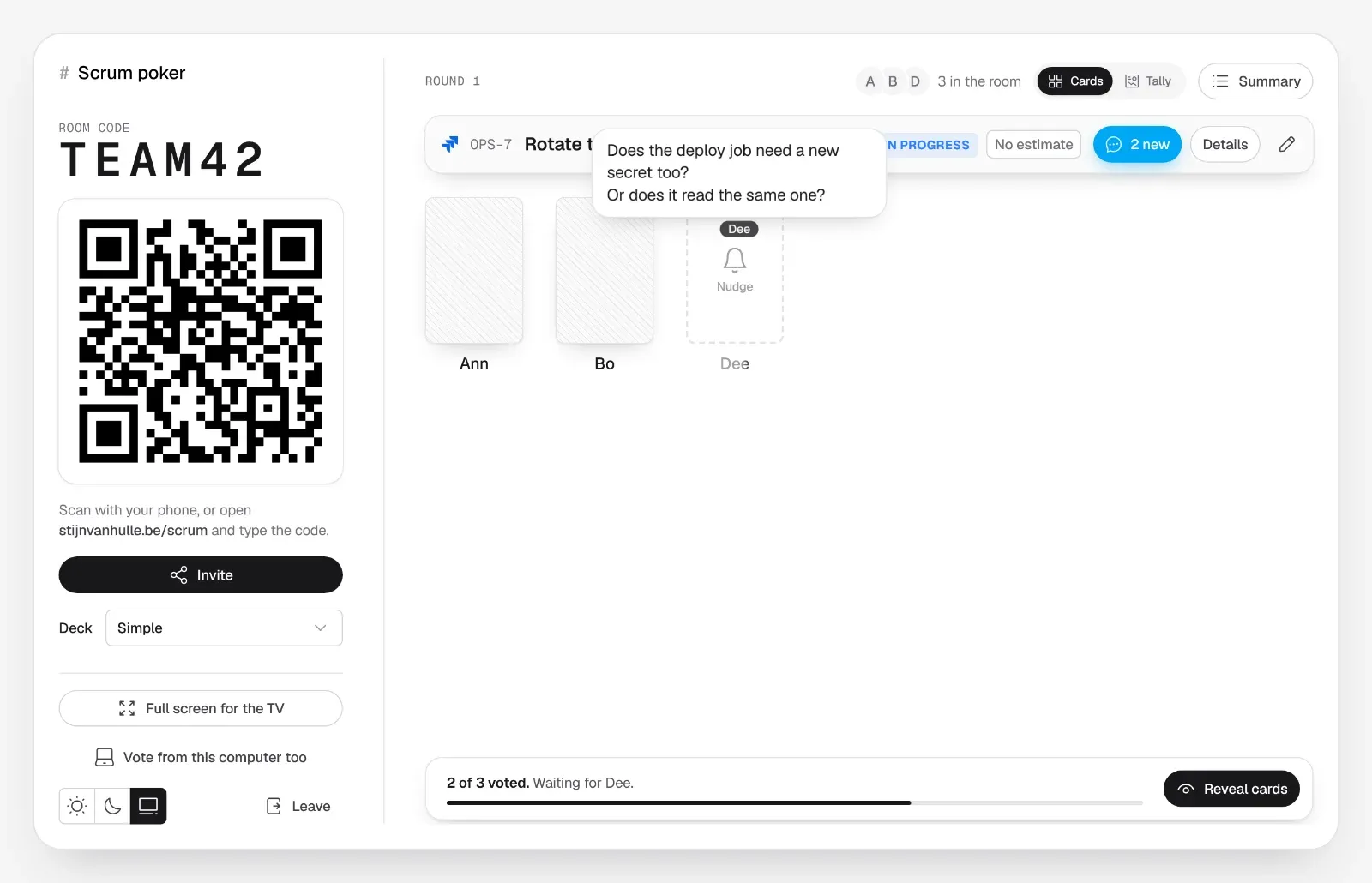
- Tap Host on this screen on a shared screen, such as the meeting-room TV. A side panel shows the code in big letters and, on a large screen, a QR code.
- Invite opens your share sheet. Vote from this computer too opens your own cards in a new tab, so you can host and vote from one laptop.
- Deck picks the scale every phone in the room votes with.
- Full screen for the TV moves the code, the QR code, and the timer into a header, so the board gets the whole width. There, the ⋯ menu holds the round summary, the deck, the theme, and Leave room.
- In a normal window, the panel button next to Summary hides the side panel once everyone has joined.
- Seats keep the order people joined in, so the order doesn't give the scores away.
- Tap Nudge on an empty seat to remind that player. Their phone buzzes and asks for a vote.
- Switch between the Cards view, one card per seat, and the Tally view, with the votes per score, the average, and the spread.
The reveal
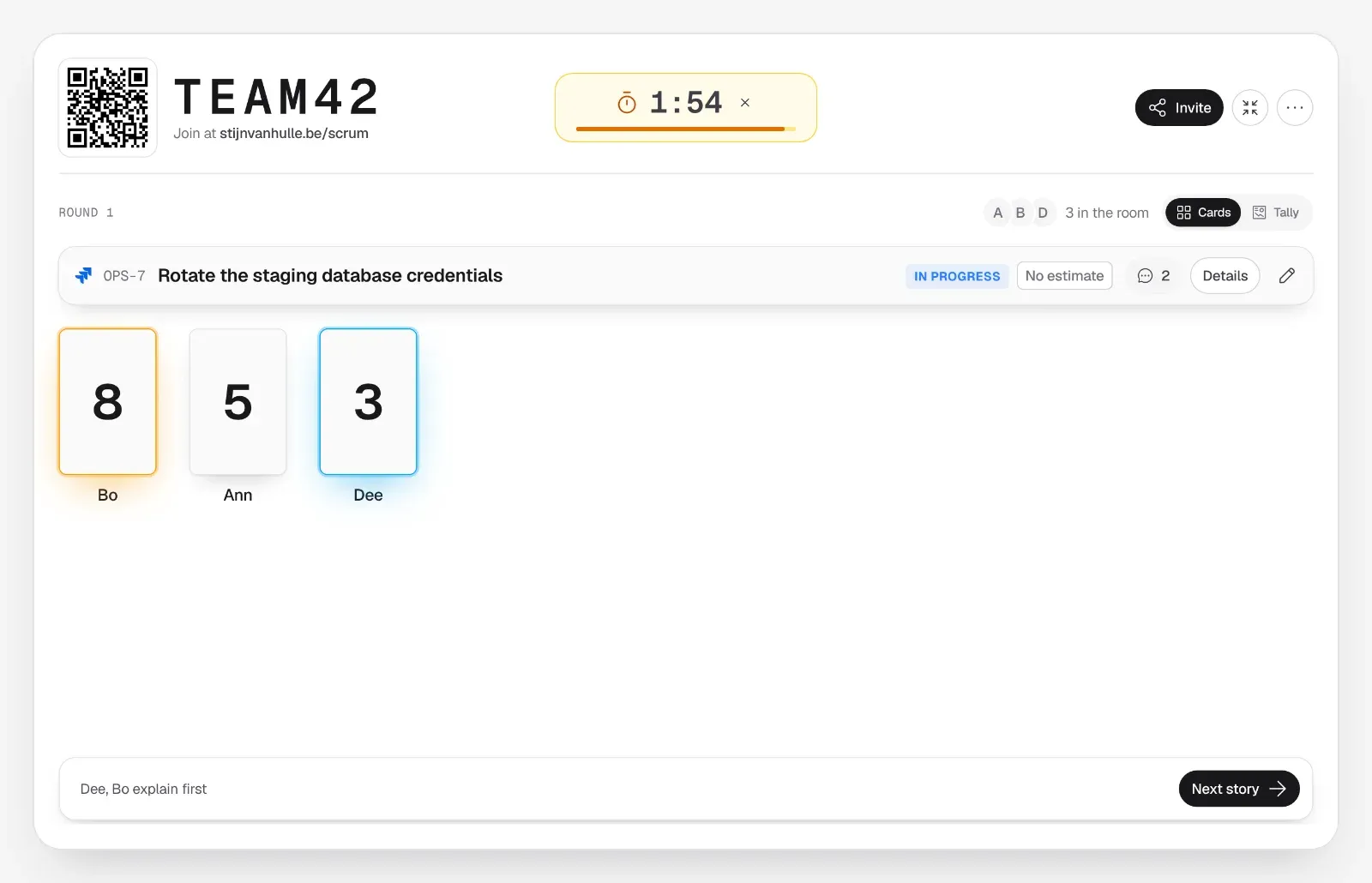
- The bar at the bottom says who the board still waits for. Tap Reveal cards for a 3-2-1 countdown. When everyone has voted, the countdown starts on its own.
- Once the countdown starts, votes are locked. Phones can't change or flip their card until the next story.
- When everyone agrees, the screen flashes green and cards burst out as confetti.
- When the votes split, the lowest card turns blue and the highest amber, and the board names who explains first.
- Discuss starts a 2-minute timer at the top of the room screen and every phone. The arrow next to it picks 1, 3, 5, or 10 minutes instead, and the room screen remembers your pick. Phones buzz when time is up.
- Next story clears the board and sends every phone back to the deck. It's there during voting too, to skip a story.
The story on screen
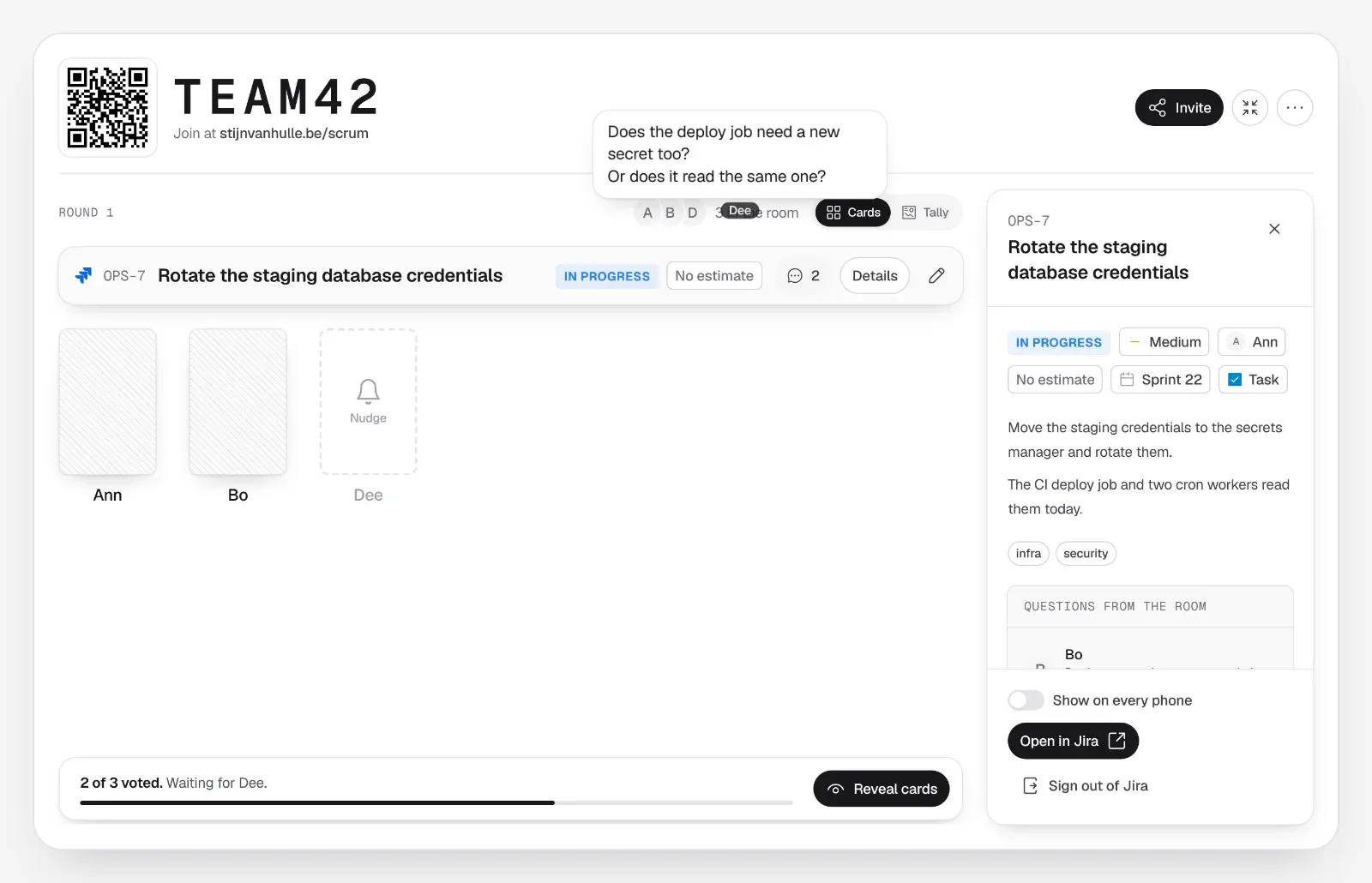
- Type a story name, or paste a Jira or Linear issue link. Sign in on the shared screen to pull in the title, status, and description. Phones never sign in.
- A loaded issue takes one line: its key, title, status, and estimate. Details opens the description and the questions in a panel beside the board, and the panel can stay open while the team votes. The pencil changes the story.
- After the reveal, the board says whether the vote matches the estimate already on the issue.
- Save 5 to OPS-7 writes the estimate back to Jira's story points or Linear's estimate. After a split vote it offers the middle vote, and the arrow next to it picks another card, with who voted each.
- Show on every phone, in the details panel, opens the story on every phone at once.
- Anyone can ask a question from the chat button on their phone. It stays with the story for that round.
Round summary
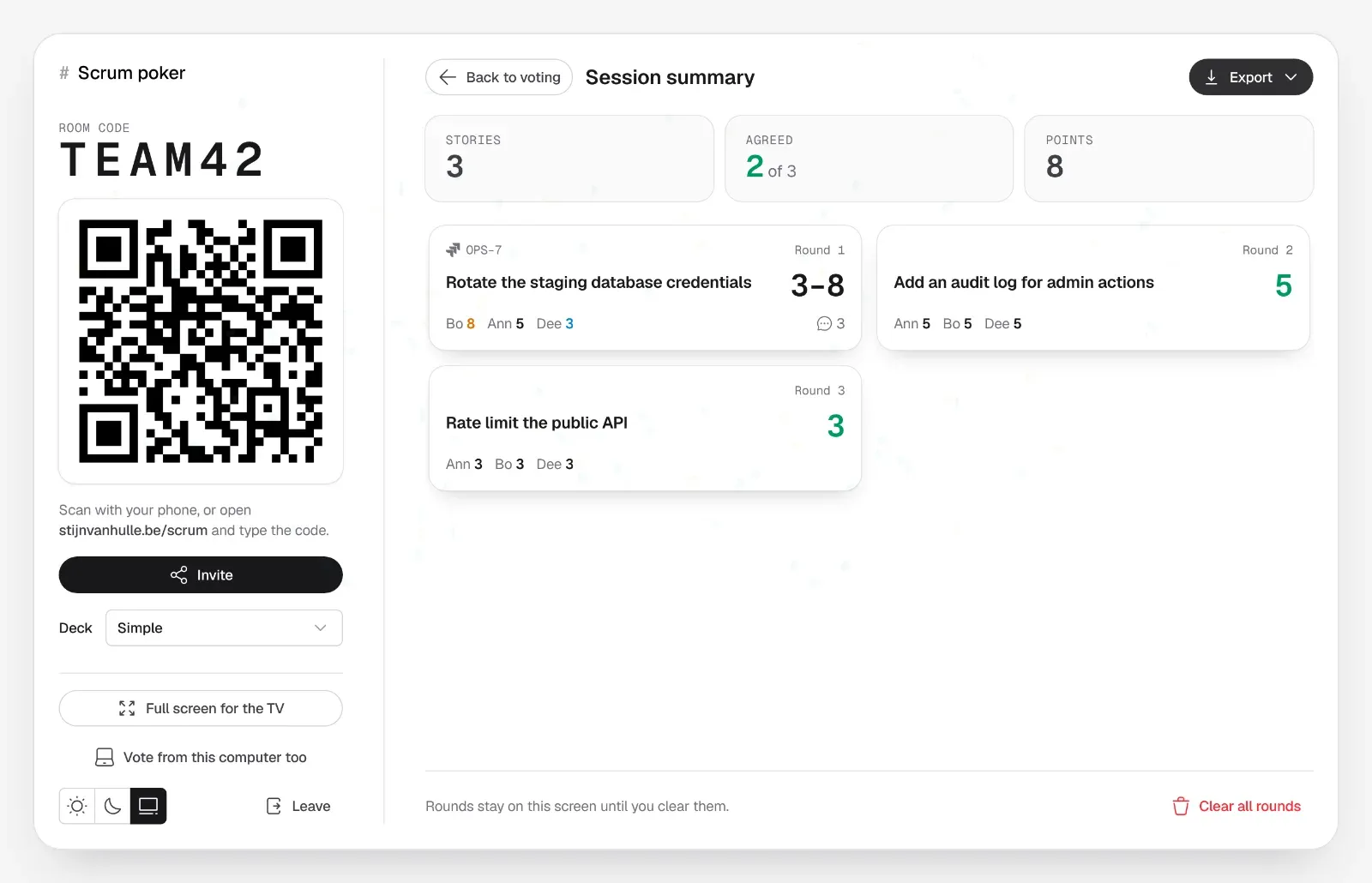
- Every reveal is saved as a round. Summary shows each round with its estimate, the votes, and the questions. In full screen, it's Round summary in the ⋯ menu.
- The summary counts the rounds that reached consensus and adds up the agreed and saved points.
- Type the sprint's capacity in the summary and it shows how many points are left. The board shows the same total as a chip, and both turn amber when the sprint holds more than fits.
- Confidence vote ends planning: every phone gets the cards 1 (No chance) to 5 (Certain), and after the reveal the board names whoever voted 2 or lower, so the team hears them out before it commits.
- Export copies the stories and their estimates as a list or a Markdown table, or downloads them as a CSV file.
Small details
- Phones buzz when the board reveals and when a new round starts. iPhones don't support vibration, so they stay quiet.
- Add it to your home screen and it opens full screen with its own icon.
- Turn on reduced motion in your system settings and every animation stops.
How it works
- Phones talk straight to the shared screen over WebRTC, using Trystero. Public Nostr relays only help the devices find each other.
- When a firewall or a 4G network blocks the direct connection, a relay server passes the messages on.
- On your own, every pick stays on your device.
Why I built it
Estimation sessions need cards. I wanted a set that opens without an account, that the whole team can follow on one shared screen, and that keeps the story in view while we vote.